

Creating POIs from OSM data for your Nuvi
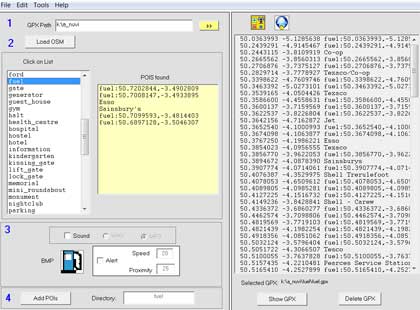
If your Garmin Nuvi allows you to customize your POIs, why not use the most up to date OSM data? Use Geofabrik to download OSM data. nuvi osm2poi is a simple GUI which enables you to select a category,ie speed cameras,schools,pubs etc and compile the osm information into a gpx file ready to be uploaded using Garmin's POI Loader.
|  |
|
| |
Devon POI files
Devon Pubs:Devon 600+ gpx
Devon Speed Cameras:
|
Changing the look of your nuvi map
Use TYPWiz 7 to quickly change the TYP embedded in your gemapsupp.img .
You can also create save a POI from your typ file as a bmp for Garmin's POI Loader.