AIG Model Checker 3.31
 |
- Quickly Check for live traffic at ANY airport - currently disabled
- Check out any airport for unmatched liveries
- Double click on an entry to display picture of aircraft with the same registration.
- With AIG Model Checker it is easy to see which models still need to be downloaded via AIG Manager.if available.
- Select your own airports to collect live Data
- Add new airports and set parameters for Live Traffic.AIG Model Checker contains all airports fused by FS2020
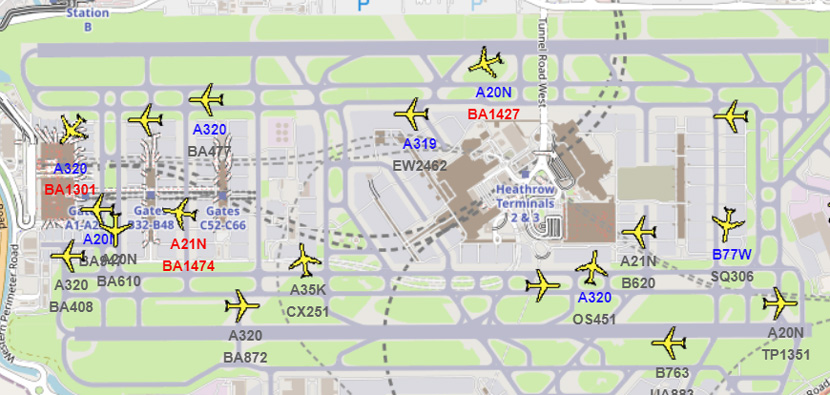
- Show position of planes on Openstreet.
- Select which models you want to be excluded, ie helicopters,small planes
- Create VMR files of models or airlines - see below
- Quickly Check CFG files for all models
- Collect data about types not as yet provided by AIG
GSX Mapper Free mapping & editing All GSX Pro Profiles from a PC
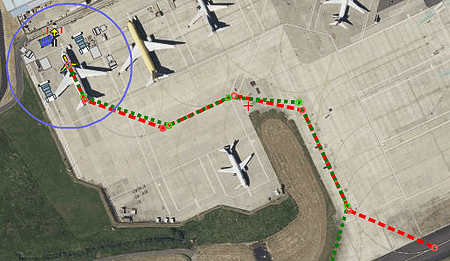
Click on each gate/parking.de-icing slot to check out what features have been included or omitted. The contents of each gate/parking areas has been graded making it easier to identify the most detailed slots . Left and Right Pushbacks are easily identified. Passenger boarding and deboarding routes are clearly marked in green and yellow respectively. Walking passengers follow a purple line. Routes and objects can be edited from the PC |
 |
| GSX Mapper |
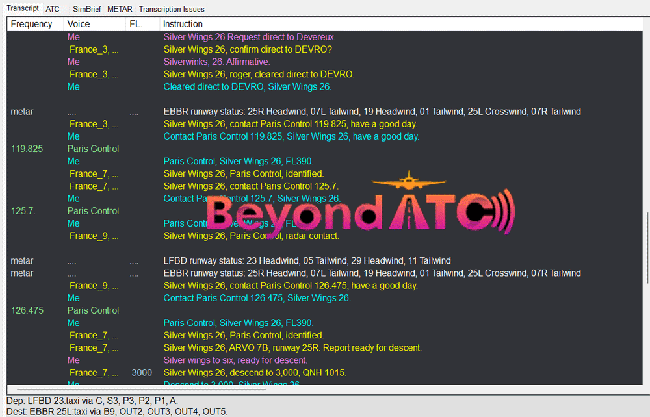
Beyond ATC Log Scanner Free
|
 |
Quick Guide
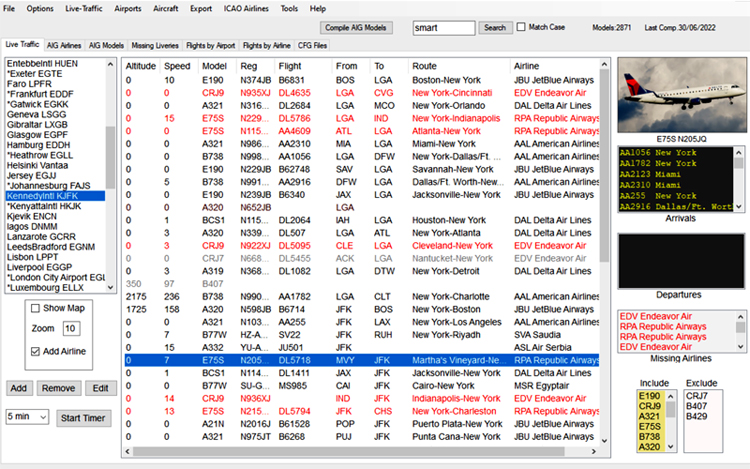
- In Options,main settings locate the aig-aitraffic-oci-beta folder most likely found in the Community Folder
- From main menu go Aircraft, Compile AIG Airlines
- This creates a snapshot of all AIG liveries on your device
Note : Each time you add new liveries, you need to recompile your AIG model data
Click 'Compile AIG Models' button on main screen.
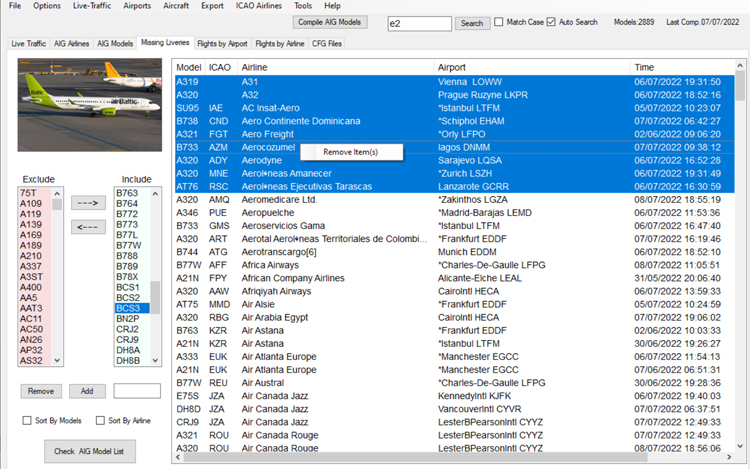
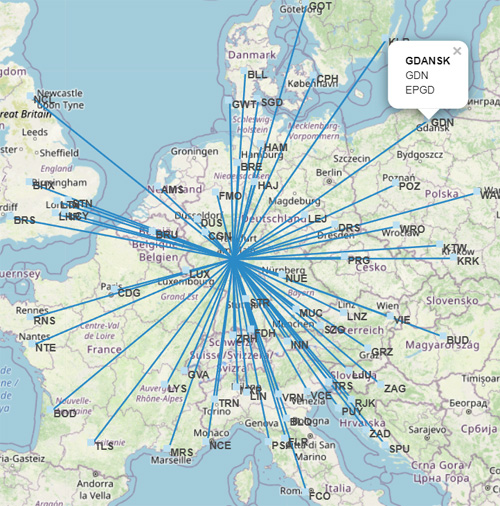 |
| Create Route Maps From Any Airport & Specify Range |
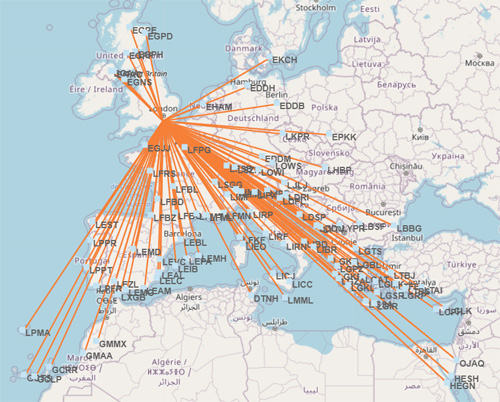 |
| Easy Jet Gatwick Routes |
|
 |
| Transition Checker Shows All Transitions For Every Airport |
| Transition Checker shows all transitions for every airport |
Download
AIG Model Checker is designed for Windows 7 / 10 / 11
It is free from bloat ware and has been checked for viruses & malware
| Download AIG Model Checker 3.31 |
| Secure DownloadsNO JUNK ADDED! |
 |
Adding & Editing an Airport
Find the ICAO code for an airport & enter code in text below 'airport'.
Click Search.
If it has found the airport click 'Add'
In the list of airports on left click on your added airport to find any live traffic.
Note
AIG Model Checker by default filters traffic <1000 ft, so you can quickly check if the match has been successful.
This can be changed in the Life Traffic options.
Creating VMR files
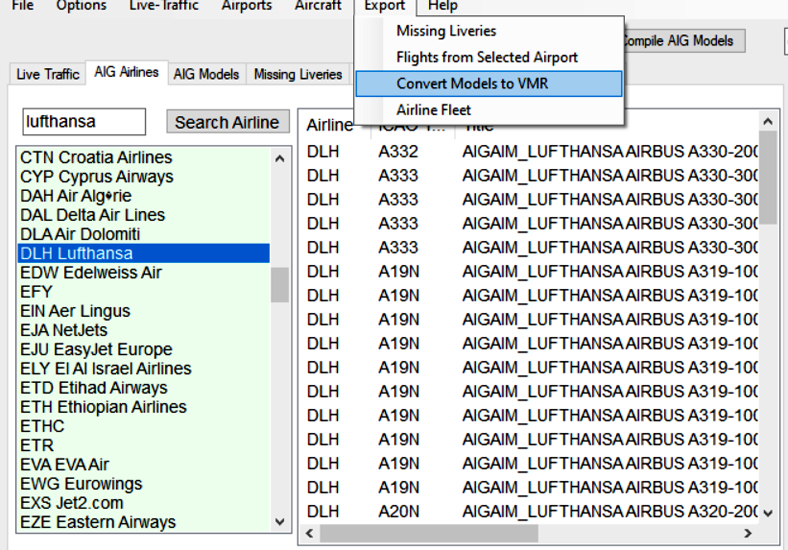 |
| Vmr Lufthansa |
For those wanting to use the AIG models as Traffic for VATSIM :
- Click AIG Models tab or AIG Airlines tab
- Select a model or airline
- Go: Export,Convert Models to VMR
Collecting Flight Numbers
AIG Model Checker enables you to save an airport's live data and spot common flight numbers.
This should provide a clearer picture of what airlines/models to expect at any given time.
It also helps when identifying a route from a given ATC call sign : Swiss 2251 refers to LX2251
AIG Traffic selects a limited number of flights
MSFS Traffic is very selective and at least 15 minutes behind.
- From the Live Traffic screen, select an airport and click 'Edit'.
- Click 'Log Flights'. Click Apply
- Whenever you click on this airport data will be logged
- An asterism is placed in front of the Airport's name informing you that data will be logged.
- Untick 'Log Flights' to stop logging that particular airport
- Airport logs can be exported : Export, 'Flights from selected Airports'
- Data can be filtered using a specific day of the week by clinking on a combo box.
- Any Flight Numbers which were logged on previous days have an asterisk attached. This should make it easier to spot common flight numbers
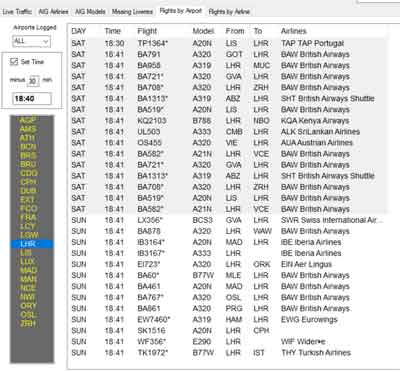 |
| Flight Numbers From Heathrow |
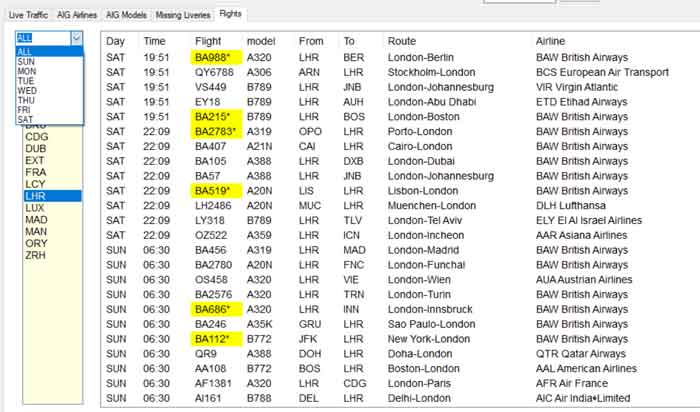 |
| Flight Numbers From Heathrow |